
Check Active Sims to Your CNIC PTA Official method
Have you ever wondered how many SIM cards are registered against your CNIC? If yes, you’re not alone. Thousands of Pakistanis search every month for PTA SIM verification, check active SIMs on CNIC and 668 SIM checks to make sure no unauthorized mobile number is being used in their name.
The Pakistan Telecommunication Authority (PTA) provides an official system that lets every citizen verify the number of active SIMs registered against their CNIC. This simple verification process helps protect your identity and prevents misuse of your personal information. In this guide you will learn how to check active SIMs using both the PTA SIM Information System and the 668 SMS service along with important security tips and frequently asked questions.
PTA SIM Verification?
PTA SIM verification is the official process of checking all mobile SIM cards registered against your Computerized National Identity Card (CNIC). The service allows users to:
- View the total number of active SIMs on their CNIC.
- Check SIM registrations across all mobile networks.
- Detecting unauthorized SIM cards.
- Improve personal security and privacy.
- Stay compliant with PTA regulations.
It only shows the number of SIMs registered with each mobile operator and does not reveal the phone numbers themselves.
Why Check Active SIMs on Your CNIC?
Many people never verify their SIM records until they face a problem. Regular verification helps you detect any unknown registrations before they become a serious issue the Benefits of checking sims include:
- Protect your identity from misuse.
- Detect unauthorized SIM registrations.
- Prevent mobile-related fraud.
- Keep your PTA records accurate.
- Ensure only your own SIMs remain active.
Checking your SIM record takes less than a minute but can help prevent future complications.
How to Check Active SIMs Through the PTA method
The easiest method is using PTA’s online SIM Information System.
Step 1: Open the Official PTA SIM Portal
Visit the official PTA SIM Information System from your browser.
Step 2: Enter Your CNIC Number
Type your 13-digit CNIC number without spaces or dashes like this one 3520212345671 and also double check the number before proceeding for the result.
Step 3: Submit Your Request
Click the Submit button provided on the right side and wait for a few seconds. Within a few times the system will display how many SIMs are registered against your CNIC with each mobile network.
Step 4: Review Your SIM Record
You will the see the number of active SIMs issued by operators such as:
- Jazz
- Zong
- Telenor
- Ufone
- SCO
If every number looks familiar your records are likely correct otherwise it will be wrong.
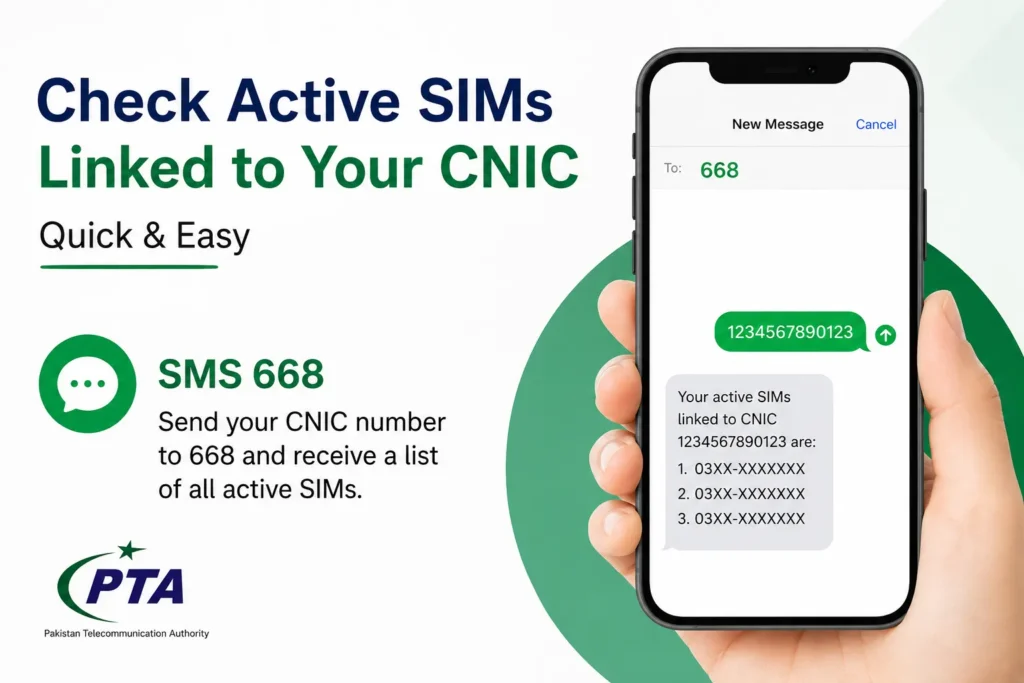
How to Check Sims Using the 668 SMS Service
If you do not have internet access you can use PTA SMS verification service by Follow these steps you will check:
- Open your mobile messaging app.
- Type your 13-digit CNIC number.
- Send it to 668.
- Wait for the response.
You’ll receive a message showing the number of SIMs registered with each mobile operator. This method is quick, convenient and works on almost every mobile phone.
What Should Do If You Find an Unknown SIM?
If you notice a SIM that does not belong to you do not ignore it because it will make any serious issue for you so keep away from it .
- Visit your mobile operator’s nearest customer service center or franchise.
- Request SIM verification.
- Ask them to block or remove unauthorized SIMs.
- Carry your original CNIC for verification.
Taking immediate action helps protect your identity from possible misuse.
How Many SIMs Can Be Registered on One CNIC?
According to PTA regulations, an individual can register up to five SIM cards per mobile network after completing biometric verification. Always keep track of the SIMs issued in your name and deactivate those you no longer use.
Reasons to Verify Your SIM
People usually check their SIM registration when:
- Buying a used mobile phone.
- Applying for banking or digital services.
- Receiving suspicious calls.
- Losing their phone.
- Changing mobile operators.
- Updating personal records.
- Selling an old SIM.
Regular verification provides peace of mind.
Tips to Keep Your SIM Secure
To protect your mobile identity:
- Never share CNIC copies unnecessarily.
- Complete biometric verification only at authorized franchises.
- Immediately report lost SIM cards.
- Regularly check active SIMs on your CNIC.
- Avoid purchasing pre-activated SIMs.
- Keep your CNIC information updated.
These simple precautions can significantly reduce the risk of identity fraud.
Importance PTA SIM Verification
Every SIM registered under your CNIC becomes your responsibility. If someone misuses a SIM issued in your name, it may create unnecessary legal or security issues. That’s why PTA encourages users to verify their SIM records regularly and report any suspicious registrations immediately.
FAQ’s
How can I check active SIMs linked to my CNIC?
You can check them through the official PTA SIM Information System or by sending your 13-digit CNIC number to 668.
Is PTA SIM verification free?
The online PTA SIM Information System is free to use. The 668 SMS service may charge a small fee depending on your mobile operator.
Can overseas Pakistanis check their SIM status?
Yes If you have access to the PTA SIM Information System you can check your SIM registration online.
Conclusion
Checking active SIMs linked to your CNIC is one of the easiest ways to protect your digital identity in Pakistan. Whether you use the PTA SIM Information System or the 668 SMS service the process take only a few minutes and helps ensure that every SIM registered under your name is legitimate.