
Telenor SIM Owner Details –Complete Guide 2026 (Pakistan)
Checking Telenor SIM owner details is a common need in Pakistan for identity verification, fraud prevention, and SIM security. Whether you want to confirm your own SIMs or verify a number, PTA provides legal methods to access limited SIM registration information.
- All SIMs in Pakistan (including Telenor) are registered under a CNIC
- Data is stored in PTA & NADRA verified systems
- Full private details of others are NOT publicly accessible
Telenor Pakistan is one of the largest telecom networks in the country and SIM verification is frequently used by its customers.
Check Telenor SIM Details
When you check SIM owner information you can usually see this details :
- Registered owner name (masked in some cases)
- CNIC (partially hidden)
- Number of SIMs on CNIC
- Network information (Telenor/Jazz/Zong/Ufone)
- SIM activation status
- Biometric verification status
Telenor SIM Owner Details Methods (2026)
Below are the official and most used methods:
Method 1: Visit simsdata.org to check details
1 . Open the homepage
- Enter your CNIC on it
- Wait for 10 Second to receive the result
4.you will receive your data
Check : how many Sims registered on your CNIC
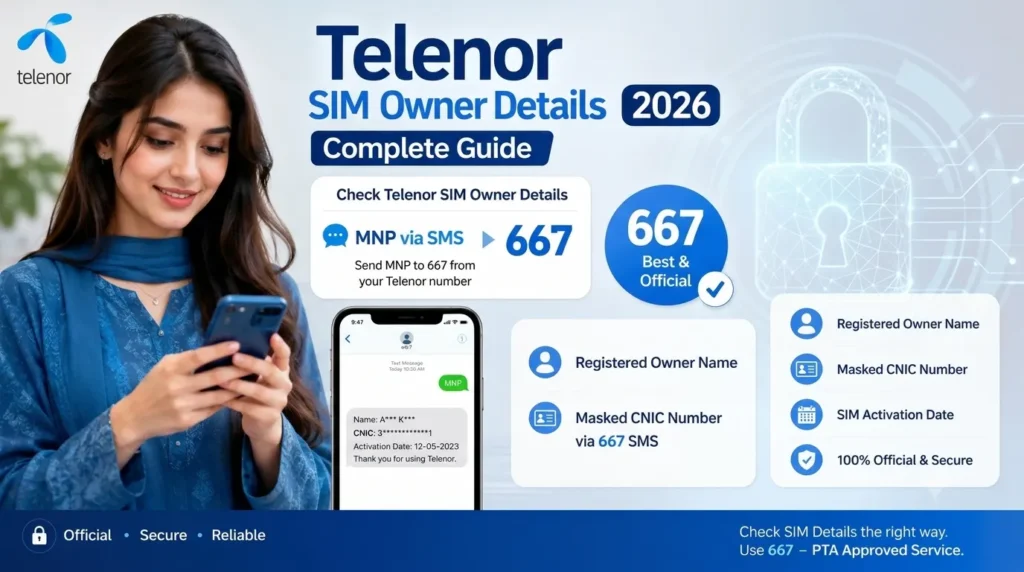
Method 1: SMS to 667 (MNP Check)
| Step | Action |
| 1 | Open SMS app |
| 2 | Type : MNP |
| 3 | Send to 667 |
| 4 | Receive Sim owner details |
Shows: Owner name and masked CNIC
Works for: Any SIM in your phone
Method 2: CNIC Check via 668 (All Networks)
| Step | Action |
| 1 | Open SMS |
| 2 | Type your 13 digit CNIC |
| 3 | Send to 668 |
Shows: Total SIMs on CNIC
Works for: All networks including Telenor
Method 3: Telenor Code *345#
Steps to follow :
- Dial from Telenor sim
- Enter *345#
- Follow the menu
It will show you the account and sim information which is useful for telenor user only
Method 4: Telenor Franchise Visit
If you need official verification certificate:
- Visit nearest franchise
- Bring original CNIC
- Complete biometric verification
- Request SIM ownership proof
| Method | Internet required | Details |
| 667 (MNP) | No required | Unknown number verify |
| 668 CNIC | No | Sim count check |
| *345# | No | For Telenor users |
Telenor Number Prefixes
Telenor Pakistan uses a set of standard mobile number prefixes that start with 034. If you see a number beginning with these digits it usually means that the SIM was originally issued by Telenor. However due to Mobile Number Portability (MNP) users can now switch networks while keeping the same number so the prefix only shows the original network, not the current one.
Telenor Prefix List (0340–0347)
| Prefix | Network | Description |
| 0340 | Telenor Pakistan | One of original allocated number ranges |
| 0341 | Telenor Pakistan | Common prepaid sim range |
| 0342 | Telenor Pakistan | Widely use activation block |
| 0343 | Telenor Pakistan | Standard prepaid distribution |
| 0344 | Telenor Pakistan | Regular customer sim range |
| 0345 | Telenor Pakistan | Popular prefixes in Pakistan |
| 0346 | Telenor Pakistan | Newer sim allocations |
| 0347 | Telenor Pakistan | Latest or recent number batches |
Even though these prefixes belong to Telenor:
- A number starting with 0340–0347 does NOT always mean it is currently on Telenor
- Due to Mobile Number Portability (MNP), users can switch to Jazz, Zong or Ufone while keeping the same number
- To confirm the current network, always use: 667 (MNP Check Service) and Official mobile tracker tools
Important Legal Information
- You cannot access full CNIC of other people
- You cannot get address of unknown SIM users
- Only masked or limited data is provided
- PTA protects user privacy under telecom laws
Importance of SIM Verification
- Prevent SIM misuse
- Detect unknown SIMs on your CNIC
- Avoid fraud & scam calls
- Secure banking & OTP services
- Maintain identity safety
Conclusion
Checking Telenor SIM owner details in Pakistan is simple and free using PTA-approved methods like 667, 668, and official apps. However, full private data of other users is not publicly available for security reasons.
FAQ’s
How can I check how many SIMs are on my CNIC?
Send your 13-digit CNIC number to 668. You will receive a message showing total SIMs registered on your CNIC across all networks.
Is the 667 SIM check service free?
Yes, the 667 MNP service is free or very low cost depending on your network. It shows the SIM owner’s name and network details.
How to check Telenor sim owner name?
simply send MNP via SMS to 667 from that number you’ll receive the owner’s name, a partially hidden CNIC number and the SIM’s activation details.