
Ufone SIM Owner Details 2026 – Complete Guide to Check Name, CNIC & SIM Information
If you are a Ufone user and want to verify your SIM ownership details, this guide covers all official and safe methods available in Pakistan in 2026. Whether you need to check the registered name, verify a used SIM card or find all Ufone SIMs linked to your CNIC, this article explains everything in a simple way.
Ufone number check
Ufone SIM owner details refer to the registration information attached to a SIM card during biometric verification. When a SIM is activated, it is linked with the owner’s CNIC through NADRA’s biometric system.
These details may include:
- Registered owner’s name
- CNIC number (partially masked)
- Mobile number
- SIM activation status
- Biometric verification status
- Network operator information
Knowing these details helps users protect themselves from SIM fraud, identity theft and unauthorized registration.
Check Ufone SIM Owner Details
Many people only check their SIM information when they face a problem. However, regular verification can help you:
- Detect unauthorized SIMs registered on your CNIC
- Prevent SIM swap fraud
- Protect mobile banking accounts
- Secure social media accounts linked with your number
- Stay within PTA SIM limits
Checking your SIM information once every month is a good digital security habit.
Methods to Check Ufone Sim owner detail
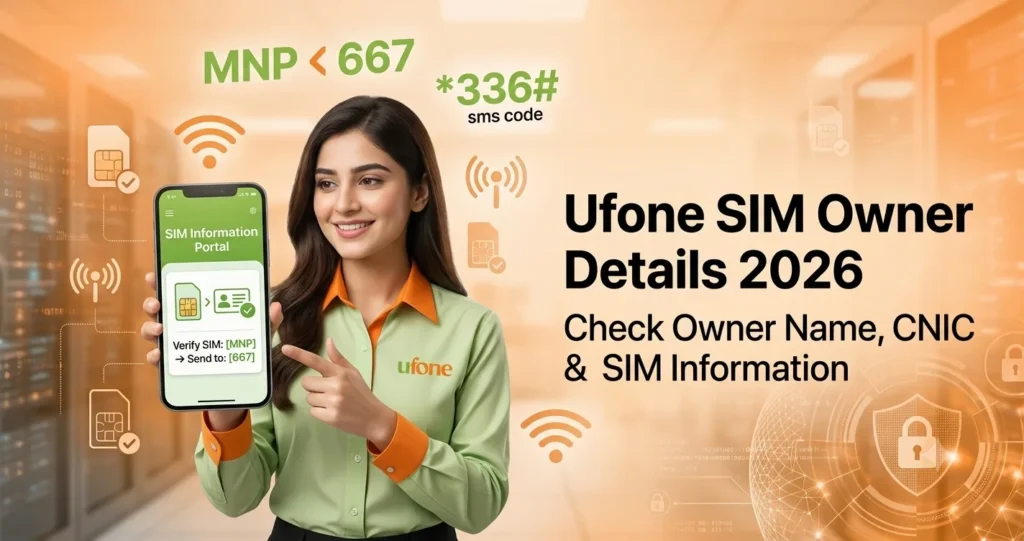
Method 1: Send MNP to 667
This is one of the easiest ways to verify a Ufone SIM.
Steps
- Open your Messages app.
- Type MNP.
- Send it to 667.
- Wait for the reply SMS.
What You Get:
- Registered owner name
- Masked CNIC
- Current network
- SIM activation information
Method 2: Send CNIC to 668
Want to know how many SIMs are registered on your CNIC
Steps
- Type your 13-digit CNIC without dashes.
- Send it to 668.
- Receive a reply from PTA.
What You Get
- Total number of SIMs registered on your CNIC.
- Network-wise SIM count.
Method 3: Dial *336#
Ufone also provides a quick USSD verification service.
Steps
- Dial *336#
- Press Call.
- Select the relevant option.
Benefits
- Instant response.
- No internet required.
- Free of cost.
This method is useful when you need quick registration information directly on your phone screen.
Method 4: Check Your Ufone Number
If you Forgot your number? Simply dial:
*780*3# or *1#
Your Ufone number will instantly appear on the screen.
Best For
- New SIM users.
- Recovering forgotten numbers.
- Quick number confirmation.
Method 5: Use the My Ufone App
The official Ufone app allows users to manage their SIM information easily.
- View profile details
- Check registered name
- Verify SIM status
- Manage packages
- Track remaining balance
How to Use
- Download the official My Ufone app.
- Login with OTP verification.
- Open Profile.
- View SIM information.
This is one of the most convenient methods for smartphone users.
Method 6: Call Ufone Helpline 333
Sometimes speaking to a real person is easier.
Steps
- Dial 333 from Ufone.
- Or call 0333-1333100 from another network.
After identity verification, customer support can help confirm your SIM information.
Best For
- Ownership disputes
- Registration issues
- Account verification problems
Method 7: Check Through PTA SIM System
The PTA SIM Information System is one of the most trusted methods.
Steps
- Visit the PTA SIM Information System portal.
- Enter your CNIC number.
- Complete CAPTCHA verification.
- View results.
Benefits
- Free service
- Official PTA database
- Printable results
- Network-wise SIM count
This method is especially useful if you need proof of SIM ownership records.
Check : PTA official method to check how many sims registered on your CNIC
Method 8: Visit a Ufone Service Center
If you need complete information about all Ufone numbers registered under your CNIC, visit a Ufone franchise or service center.
Required Documents
- Original CNIC
- Biometric verification
Benefits
- Complete SIM ownership record
- Number details
- SIM disowning requests
- Fraud reporting support
This is the most reliable option when dealing with unauthorized SIM registrations.
Method 9: Online SIM Verification Tools
Some online platforms provide number identification and operator information services.
These tools may help identify unknown callers and verify network information. However, users should always prioritize official PTA and Ufone verification methods for maximum accuracy and privacy protection.
Visit : You can check your Sim information details here
Ufone Number Prefixes
A quick way to recognize a Ufone number is by looking at its prefix. Ufone was originally assigned eight number series in Pakistan, all beginning with 033. If a mobile number starts with 0330, 0331, 0332, 0333, 0334, 0335, 0336, or 0337, it was originally issued by Ufone.
| Prefix | Network | Details |
| 0330 | Ufone | Original Ufone allocation |
| 0331 | Ufone | Standard prepaid range |
| 0332 | Ufone | Widely used across Pakistan |
| 0333 | Ufone | recognizable Ufone prefix |
| 0334 | Ufone | Common prepaid allocation |
| 0335 | Ufone | Frequently issued to new users |
| 0336 | Ufone | Popular for newer activations |
| 0337 | Ufone | Latest Ufone number range |
Prefixes indicate that the number was originally issued by Ufone do not always reveal the network currently being used. Thanks to Mobile Number Portability (MNP) users in Pakistan can switch to another mobile operator without changing their phone number.
For example, a number beginning with 0333 may now be operating on a different network if the owner has ported it. That’s why it’s always a good idea to verify the current operator before making assumptions. The easiest way to check is by sending MNP to 667, which returns the active network information and basic SIM registration details.
Find an Unknown SIM on Your CNIC
If a PTA check shows a Ufone SIM that you do not recognize:
- Save screenshots of verification results.
- Call Ufone Helpline 333.
- Visit a Ufone Service Center.
- Request SIM disowning.
- Complete biometric verification.
- Obtain a complaint reference number.
- File a PTA complaint if necessary.
Taking quick action can prevent fraud and protect your identity.
Is It Legal to Check Ufone SIM Owner Details?
Yes, it is completely legal to verify SIMs registered on your own CNIC or SIM cards that you personally own.
However, attempting to access someone else’s private registration data without authorization may violate Pakistani cybercrime and privacy laws. Users should always rely on official and legal verification methods.
Safety Tips for Ufone Users
- Check your CNIC SIM count regularly.
- Never share CNIC photos unnecessarily.
- Buy SIMs only from authorized biometric retailers.
- Verify unknown callers before responding.
- Keep all SIMs registered under your own CNIC.
- Enable security features on banking apps.
These small habits can significantly improve your digital security.
FAQ’s
How can I check Ufone SIM owner details?
Send MNP to 667 from the Ufone SIM and receive ownership information via SMS.
How do I know how many Ufone SIMs are registered on my CNIC?
Send your 13-digit CNIC number to 668 or use the PTA SIM Information System.
How can I find my Ufone number?
Dial *780*3# or *1#. Your number will appear instantly.
Can I check another person’s Ufone SIM details?
No. Official methods are intended for verifying your own SIMs and CNIC records.
Is the My Ufone App safe?
Yes. The official app uses OTP verification and secure login methods.
How many SIMs can be registered on one CNIC?
PTA allows a limited number of SIMs per CNIC. Users should regularly verify their registrations to stay compliant.
Conclusion
Checking Ufone SIM owner details is important to know about your sim information which has become increasingly important in today’s digital world. With mobile numbers connected to banking, social media, and personal accounts, knowing exactly which SIMs are registered under your CNIC can protect you from fraud and identity theft and the safest method remain official option such as sending MNP to 667, checking SIM counts through 668, using the My Ufone App or verifying records through the PTA SIM Information System. These methods are quick, reliable and easy to use.