Zong USSD Codes List 2026 – All *310# Codes, Balance Check, and Account Features
If you’re a Zong prepaid or postpaid user in Pakistan, USSD codes are the quickest way to manage your SIM without using the internet. Whether you need to check your balance, activate internet packages, view remaining MBs, transfer balance, or access account settings, these codes help you complete tasks within seconds. This guide includes the most useful Zong USSD codes for 2026, organized by category for easy access. The information is based on the latest available references and may change as Zong updates its services.
What Can You Do with Zong USSD Codes?
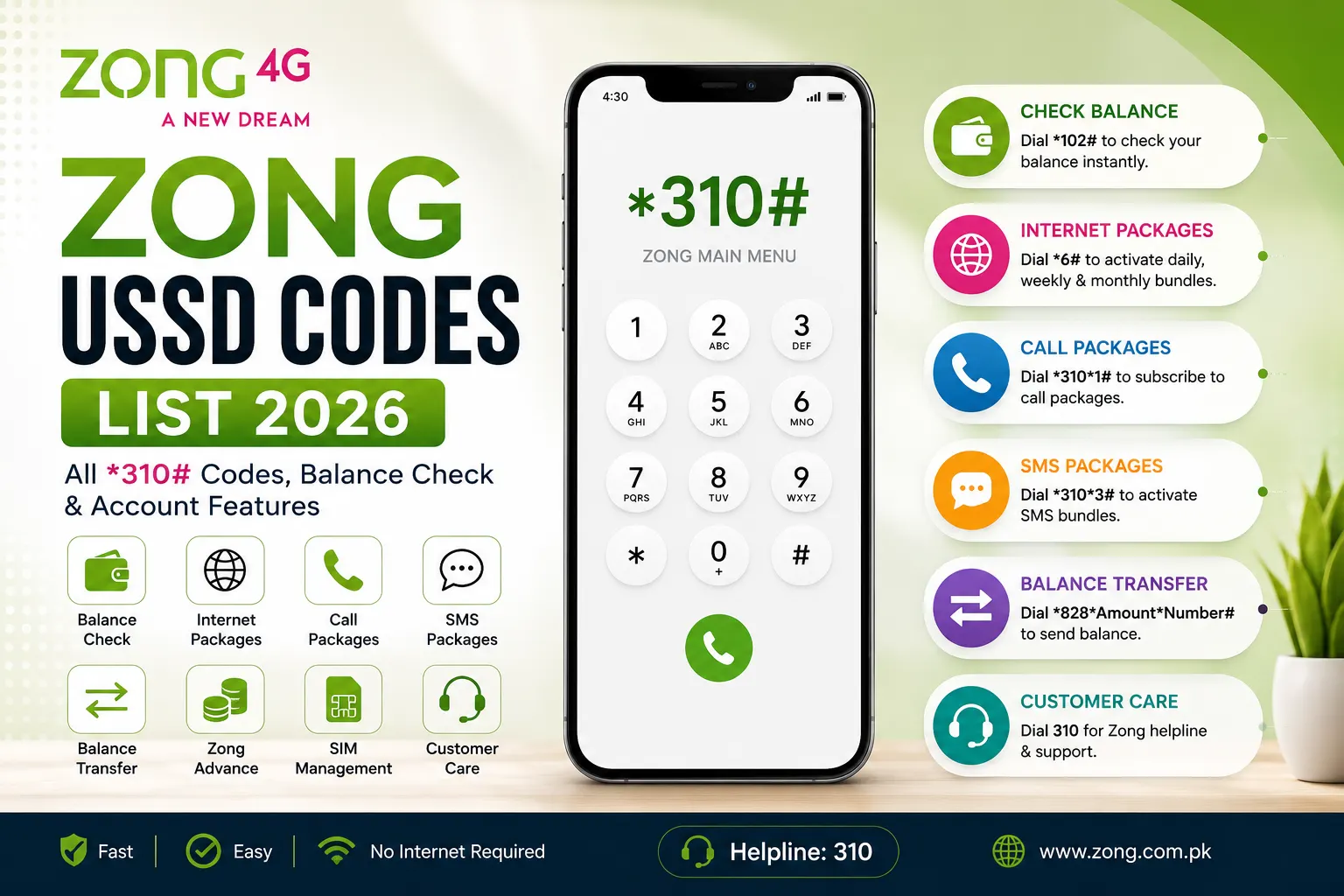
Zong USSD codes let you manage your SIM and mobile account directly from your phone’s dialer without needing an internet connection or the My Zong app. They work on both smartphones and feature phones, making them one of the fastest ways to access Zong services.
With Zong USSD codes, you can: USSD Code for Telenor
- Check your balance instantly.
- View remaining resources, including internet MBs, SMS, and call minutes.
- Activate internet packages, including daily, weekly, and monthly bundles.
- Subscribe to call and SMS packages in just a few taps.
- Check your Zong number if you don’t remember it.
- Transfer balance to another Zong prepaid user.
- Request Zong Advance (loan) when your balance is low (if eligible).
- Manage your account settings through the main self-service menu.
- Access international roaming and calling options before traveling abroad.
- Contact Zong customer support or register service complaints.
- Use services without internet, making USSD codes useful even when your mobile data has run out.
Zong Main USSD Codes
| Service | USSD Code |
| Zong Main Menu | *310# |
| Balance Check | *102# |
| Complete Account Summary | *102*1# |
| My Number Check | *8# |
| Account Status | *6464# |
| Zong balance inquiry | *100# |
| Helpline | 310 |
Balance & Account Information Codes
| Function | USSD Code |
| Check Balance | *102# |
| Balance + Minutes + SMS + MBs | *102*1# |
| Remaining On-Net Minutes | *102*2# |
| Remaining Off-Net Minutes | *102*3# |
| Remaining SMS | *102*4# |
| Remaining Internet MBs | *102*5# |
| Account Information | *6464# |
Pro Tip: Dial *102*1# to view all your remaining resources in one place.
Internet & Data Package Codes
| Service | USSD Code |
| Internet Packages Menu | *6# |
| Daily Internet Packages | *6*1# |
| Weekly Internet Packages | *6*2# |
| Monthly Internet Packages | *6*3# |
| 3-Day Internet Packages | *6*4# |
| Data Balance | *102*5# |
| 4G Package Menu | *6767# |
| Social Media Bundles | *247# |
Call Packages
| Service | Code |
| Call Packages Menu | *310*1# |
| Daily Call Packages | *310*1*1# |
| Weekly Call Packages | *310*1*2# |
| Monthly Call Packages | *310*1*3# |
All-in-One Bundle Codes
| Function | Code |
| Daily All-in-One Bundle | *400*1# |
| Weekly All-in-One Bundle | *400*2# |
| Monthly All-in-One Bundle | *400*3# |
SMS Packages
| Service | Code |
| SMS Packages Menu | *310*3# |
| Daily SMS Packages | *310*3*1# |
| Weekly SMS Packages | *310*3*2# |
Postpaid Codes
| Service | Code |
| Postpaid Menu | *310*9# |
| Current Bill | *310*9*1# |
| Usage Details | *310*9*2# |
| Postpaid Account Menu | *1000# |
Value Added Services
| Service | Code |
| Zong TV & Streaming | *567# |
| Value Added Services Menu | *310*7# |
| Device & MiFi Management | *310*8# |
SIM Management Codes
| Service | Code |
| Check Your Zong Number | *8# |
| SIM Information | *6464# |
| Account Menu | *310# |
Balance Transfer
Send balance to another Zong number using:
- *828*Amount*RecipientNumber#
- Example: *828*100*03123456789#
- You can also access the balance transfer menu through: *310*5#
Zong Advance (Loan)
| Service | Code |
| Get Zong Advance | *9090# |
| Check Advance Balance | *102*6# |
International & Roaming
| Service | Code |
| International Roaming | *123# |
| Roaming Packages | *310*6# |
| International Calling Packages | *406# |
Call Forwarding
| Function | Code |
| Check Call Forwarding | *#21# |
| Disable Call Forwarding | #21# |
| Activate Call Forwarding | **21*Number# |
Most Useful Daily Zong Codes
| Purpose | Code |
| Balance Check | *102# |
| Complete Resource Check | *102*1# |
| Internet Balance | *102*5# |
| Main Menu | *310# |
| Internet Packages | *6# |
| Call Packages | *310*1# |
| SMS Packages | *310*3# |
| Full Account Resources Summary | *310*4# |
| My Number | *8# |
| Zong Advance | *9090# |
| Customer Care | 310 |
Complete Zong USSD Quick Reference
| Function | USSD Code / Contact |
| Main Menu | *310# |
| Balance Check | *102# |
| All Resources (Balance, MBs, SMS & Minutes) | *102*1# |
| Data Balance | *102*5# |
| Check My Zong Number | *8# |
| Data Packages Menu | *6# |
| Call Packages Menu | *310*1# |
| All-in-One Bundles | *400# |
| SMS Packages Menu | *310*3# |
| Balance Transfer | *828*Amount*RecipientNumber# |
| Zong Advance | *9090# |
| 4G Package/Status Menu | *6767# |
| Check Call Forwarding | *#21# |
| Disable Call Forwarding | #21# |
| Complaint Registration | *663# |
| Zong Helpline | 310 |
| Call from Other Networks | 0311-3100310 |
Security Warning
Be cautious of scam calls. Some fraudsters impersonate Zong customer support and may ask you to dial specific codes on your phone. These codes could forward your calls, including crucial verification (OTP) calls, to the scammer.
Never dial a USSD code if it is given by an unknown caller or someone you don’t trust.
If you think call forwarding has been turned on without your permission, dial #21# to turn it off, then contact Zong Customer Care (310) to report the issue.
Zong USSD Codes and SIM Verification
Zong USSD codes are useful for checking your own SIM account, such as your balance, remaining data, SMS, and call minutes. However, they cannot provide complete SIM registration details. USSD codes cannot show:
- All SIM cards registered against your CNIC
- When or where your SIM was registered
- Whether your SIM was verified through biometric verification
- Any unauthorized or unknown SIMs linked to your CNIC
If you want to verify how many SIMs are registered on your CNIC, send your CNIC number (without dashes) to 668. This service lets you check all active SIMs registered in your name.
For more detailed guidance on SIM verification, registration details, and checking unauthorized SIMs, you can also use the resources available on SimsData.
Customer Care
| Service | Contact |
| Zong Helpline | 310 |
| Call from Other Networks | 0311-3100310 |
| Complaint Registration | *663# |
FAQs
How do I check my Zong balance?
Dial *102# from your Zong SIM to check your current balance instantly.
How can I check my remaining internet MBs on Zong?
Dial *102*5# to view your remaining internet data (MBs).
How do I check my Zong SIM number?
Dial *8# to display your Zong mobile number on your phone.
What is the Zong main USSD menu code?
The Zong self-service menu can be accessed by dialing *310#.
How can I check all my remaining resources on Zong?
Dial *102*1# to check your remaining balance, internet MBs, SMS, and call minutes.
How do I activate Zong internet packages?
Dial *6# to open the internet packages menu and choose a daily, weekly, or monthly data bundle.
How can I transfer balance to another Zong number?
Dial *828*Amount*RecipientNumber# and follow the instructions to transfer balance.
For Example *828*100*03123456789#
How do I get Zong Advance (loan)?
If you’re eligible, dial *9090# to request a Zong Advance balance.
How do I contact Zong customer care?
You can call 310 from a Zong SIM. If you’re calling from another network, dial 0311-3100310.
Can I use Zong USSD codes without the internet?
Yes. USSD codes work without Wi-Fi or mobile data. You only need network coverage.
Do Zong USSD codes work on smartphones and keypad phones?
Yes. Zong USSD codes work on Android phones, iPhones, and basic feature phones.
Why is a Zong USSD code not working?
A USSD code may not work because of temporary network issues, low signal strength, an expired service, or changes made by Zong. If the problem continues, contact Zong Customer Care.
How can I check how many SIMs are registered on my CNIC?
Send your 13-digit CNIC number (without dashes) to 668. You’ll receive a list of active SIMs registered under your CNIC.
Are Zong USSD codes free to use?
Most Zong USSD codes are free, but some services such as balance checks or package activations may have a small service charge. Check the latest charges from Zong before using them.
How do I turn off call forwarding on my Zong SIM?
Dial #21# to disable call forwarding if it has been enabled on your SIM.
Are Zong USSD codes safe to use?
Yes, Zong USSD codes are safe when you dial official codes yourself. Never dial codes shared by unknown callers or scammers.
Can I check SIM owner details using Zong USSD codes?
No. Zong USSD codes only show information about your own account. They cannot display SIM owner details or another person’s information.
How often are Zong USSD codes updated?
Zong may change or discontinue USSD codes from time to time. It’s a good idea to check the latest information from official Zong sources if a code stops working.
Conclusion
Zong USSD codes make it easy to manage your SIM without an internet connection. You can quickly check your balance, remaining MBs, SMS, call minutes, activate packages, transfer balance, and access other useful services with just a few dial codes. Since Zong may update some codes over time, it’s always a good idea to check the latest information from official Zong sources if a code is not working.